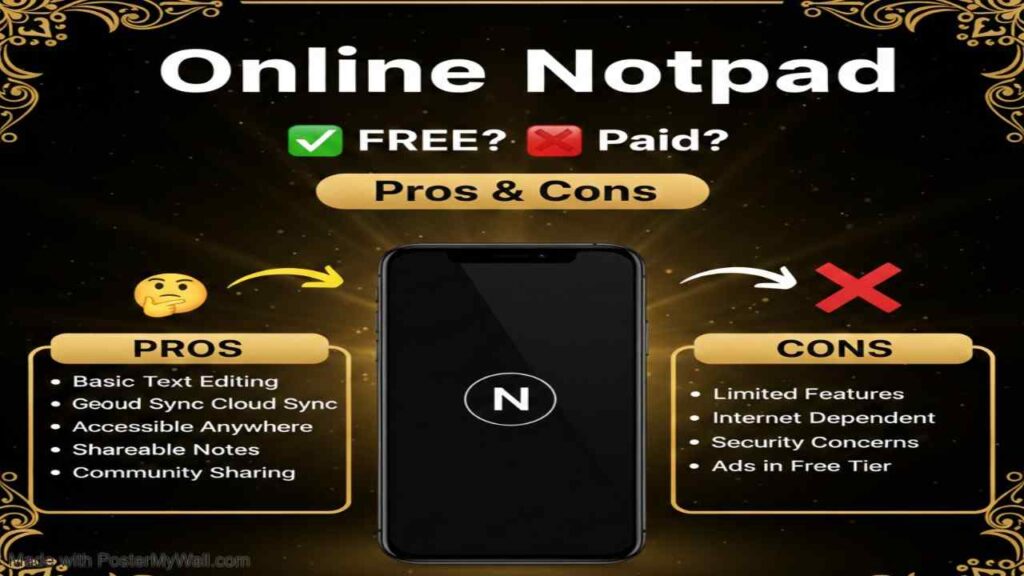
Online Notepad is a lightweight, no-signup-required web tool that lets you start typing notes, lists, ideas, code snippets, or journal entries instantly in your browser. It functions as a plain-text notepad that lives entirely online, auto-saving your content as you type (usually to your browser’s local storage) and often providing a shareable link so you can access or send notes across devices without installing anything. Popular versions emphasize speed, privacy (no account needed), clean distraction-free interfaces, and extras like dark mode, word/character count, basic formatting, or export options—making online notepad perfect for quick temporary notes, shopping lists, meeting jottings, draft emails, or any moment you need a fast digital scratchpad.
Is Online Notepad Free or Paid?
OnlineNotepad is completely free in the vast majority of cases. Most popular implementations (such as onlinenotepad.org, onlinenotebook.app, or similar minimalist sites) require zero payment, no registration, and no credit card. A small number of enhanced or branded versions offer optional paid upgrades for cloud sync across devices, unlimited note history, password protection, or team sharing—but the core experience of instant, private note-taking remains 100% free on nearly every reputable online notepad service.
Online Notepad Pricing Details
Because the majority of online notepad tools are entirely free, most users never encounter pricing. When premium features exist (usually on more feature-rich clones or branded versions), they are typically very affordable or one-time purchases.
| Plan Name | Price (Monthly / Yearly) | Main Features | Best For |
|---|---|---|---|
| Free (Standard) | $0 | Unlimited notes, auto-save in browser, shareable link, dark mode, basic text formatting, export to .txt | Everyday quick notes, temporary lists, anyone who wants zero cost and no sign-up |
| Premium (Optional – some versions) | ~$1–$4 / month or ~$12–$36 / year | Cross-device cloud sync, note history/versions, password-protected notes, priority support, no ads | Users who want persistent access across phones, laptops, tablets without relying on browser storage |
| One-Time Unlock (rare) | ~$5–$15 (lifetime) | Permanent removal of limits/ads, extra export formats (PDF/Markdown), custom themes | Occasional power users who prefer a single payment over subscriptions |
Also Read-Cognition AI Free, Alternative, Pricing, Pros and Cons
Best Alternatives to Online Notepad
Several other online notepad-style tools and lightweight note-taking services offer similar instant access with slight differences in persistence, features, or privacy.
| Alternative Tool Name | Free or Paid | Key Feature | How it Compares to OnlineNotepad |
|---|---|---|---|
| Notepad.online | Free | Clean interface, live collaboration, instant share link | Almost identical minimal experience; adds real-time multi-user editing which basic onlinenotepad versions usually lack |
| JotForm Notes / SimpleNoter | Free | Auto-save, dark mode, export options | Very similar zero-signup feel; sometimes includes minor extras (checkboxes, timestamps) but no major advantage over classic onlinenotepad |
| Etherpad | Free (self-hosted or public instances) | Real-time collaborative editing, version history | Much stronger for team notes and live collaboration; requires finding a public server or self-hosting vs. instant single-click simplicity of online notepad |
| ProtectedText.com | Free | Password-protected notes stored in URL | Unique encryption via URL passphrase; better privacy for sensitive temporary notes but no formatting or dark mode like many online notepad sites |
| Standard Notes (web) | Freemium (core free) | End-to-end encryption, cross-device sync (paid) | More secure and persistent; free tier is solid but pushes account creation and sync behind paywall unlike pure online notepad anonymity |
| Google Keep (web) | Free (Google account) | Notes + checklists + reminders + labels | Richer organization features and sync; requires Google login vs. the true no-account instant access of online notepad |
Pros and Cons of Online Notepad
Online Notepad remains one of the fastest ways to capture thoughts online, though its simplicity naturally limits advanced functionality.
Pros
- Truly instant—no sign-up, no login, no install—just open and start typing.
- 100% free for core use with zero hidden costs on most implementations.
- Works offline after first load (content saved in browser storage) and syncs via shareable link.
- Extremely lightweight—loads in under a second even on slow connections.
- Maximum privacy for temporary notes—no account means no data collection or tracking.
Cons
- Notes are tied to your browser/device unless you copy the share link—easy to lose if you clear cache or switch devices.
- Very basic functionality—no rich text formatting, folders, tags, search, or reminders in most versions.
- No reliable long-term storage—browser storage can be cleared by updates, cache cleaning, or private mode.
- Limited collaboration—only a few implementations offer real-time multi-user editing.
- Feature inconsistency—different “online notepad” sites vary widely in extras (dark mode, word count, export options).