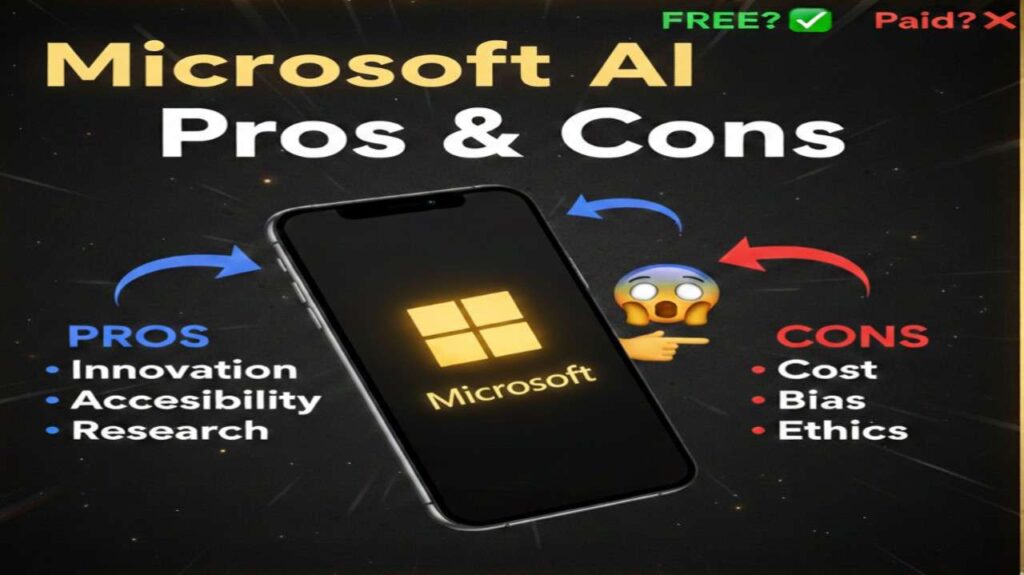
Microsoft AI is a comprehensive suite of artificial intelligence tools and services designed to integrate seamlessly into everyday workflows, enhancing productivity and decision-making. At its core, it leverages advanced machine learning models to provide features like natural language processing, data analysis, and automation across Microsoft products such as Copilot, Bing, and Azure AI services. This technology enables users to generate content, summarize information, and automate tasks, making it a versatile solution for both individuals and businesses seeking to harness AI capabilities.
Is Microsoft AI Free or Paid?
Microsoft AI offers a mix of free and paid options to accommodate different user needs. Basic access to features like the Copilot chat interface is available at no cost through web browsers or integrated into free Microsoft accounts, allowing users to experience core functionalities without commitment. However, for advanced capabilities, such as priority access to models, enhanced integrations with Microsoft 365 apps, and higher usage limits, paid subscriptions are required. This tiered approach ensures accessibility while providing premium value for power users and enterprises.
Microsoft AI Pricing Details
Microsoft AI pricing varies based on the specific tools and plans, with options tailored for individuals, families, and businesses. Below is a clear overview of the main plans, focusing on Copilot as a key component of Microsoft AI offerings.
| Plan Name | Price (Monthly / Yearly) | Main Features | Best For |
|---|---|---|---|
| Free Plan | Free / Free | Basic AI chat, web-grounded responses, limited integrations with Microsoft apps | Casual users exploring AI basics or simple queries |
| Copilot Pro | $20 per user / $240 per user | Priority access to advanced models, AI in Word, Excel, PowerPoint, higher credit limits for image generation | Individuals needing enhanced productivity in personal or professional tasks |
| Microsoft 365 Premium | $19.99 (1-6 users) / $199.99 (1-6 users) | Full AI suite including Copilot, up to 6 TB cloud storage, advanced security, desktop app integrations | Families or power users requiring comprehensive AI and storage solutions |
| Microsoft 365 Copilot (Business/Enterprise) | $30 per user / $360 per user | Enterprise-grade AI chat, agents for automation, data protection, integration with business apps | Organizations aiming to boost team efficiency with secure, scalable AI |
Also Read-Rork app Free, Alternative, Pricing, Pros and Cons
Microsoft AI Alternatives
While Microsoft AI excels in integration with its ecosystem, several alternatives offer competitive features for users seeking different strengths in AI capabilities. Here’s a comparison of top options:
| Alternative Tool Name | Free or Paid | Key Feature | How it Compares to Microsoft AI |
|---|---|---|---|
| Google Gemini | Both (free basic, paid advanced) | Multimodal AI handling text, images, and code with strong search integration | Offers broader free access and faster responses but lacks deep Microsoft app integrations; better for quick, versatile queries |
| ChatGPT (OpenAI) | Both (free tier, paid Plus/Pro) | Advanced conversational AI with custom GPTs for specialized tasks | More flexible for creative content generation and has a larger model ecosystem, but requires separate subscriptions and has less enterprise security focus |
| Claude (Anthropic) | Both (free limited, paid Pro) | Ethical AI with long-context handling for complex reasoning and document analysis | Emphasizes safety and accuracy over speed; compares favorably in verbatim data extraction but may not integrate as seamlessly with productivity suites |
| AWS Bedrock (Amazon) | Paid (usage-based) | Customizable AI models with access to multiple foundation models for enterprise-scale applications | Superior for cloud-based customization and scalability, but more complex setup compared to Microsoft AI’s user-friendly interface; ideal for developers |
Microsoft AI Pros and Cons
Microsoft AI brings significant benefits to users, but like any technology, it has its limitations. Here’s a balanced overview:
Pros
- Seamless Integration: Works effortlessly within Microsoft ecosystems like 365 apps, Edge, and Bing, streamlining workflows without switching tools.
- Enhanced Productivity: Automates repetitive tasks, such as summarizing documents or generating reports, freeing up time for strategic work.
- Enterprise-Grade Security: Built-in privacy controls and data protection make it suitable for business environments handling sensitive information.
- Scalability: Offers flexible plans from free basics to advanced enterprise options, supporting growth from individuals to large organizations.
- Trusted Innovation: Backed by decades of research, ensuring reliable and responsible AI development.
Cons
- Cost for Advanced Features: Premium capabilities require subscriptions, which can add up for heavy users or teams.
- Dependency Risk: Over-reliance on AI suggestions might reduce critical thinking or lead to errors if outputs aren’t verified.
- Privacy Concerns: Access to user data for personalization raises potential issues, though mitigated by security measures.
- Learning Curve: Full utilization of integrations may require time to learn, especially for non-technical users.
- Limited Customization: While powerful, it may not offer as much flexibility for niche AI models compared to open platforms.