AlexCodes app (commonly referred to as Alex) is a powerful AI-powered coding assistant built specifically for Xcode users developing iOS and macOS applications. It integrates directly as a sidebar tool within Xcode, providing features like intelligent code completion, inline suggestions, full codebase chat, automated error fixing, project building, Swift package management, Simulator testing, and even vision-based app interaction. Powered by top models (including support for custom OpenAI-compatible APIs, Claude, GPT, and more), AlexCodes app acts as a Cursor-like copilot tailored for Apple’s ecosystem, helping developers write Swift code faster, debug issues automatically, and streamline workflows without leaving Xcode.
Is AlexCodes App Free or Paid?
AlexCodes app follows a freemium model with a limited free tier that includes basic AI features, a small number of daily interactions, and access to core tools like chat and completions. Full capabilities—such as unlimited usage, advanced agent features (autofix, Simulator control, codebase indexing), priority models, and higher context windows—require a paid subscription. This structure allows developers to try the tool risk-free while providing premium performance for serious iOS/macOS app building.
AlexCodes App Pricing Details
AlexCodes app offers tiered subscriptions with monthly or annual billing (annual plans provide discounts, often 20–40% savings). Pricing focuses on usage limits, model access, and advanced automation.
| Plan Name | Price (Monthly / Yearly) | Main Features | Best For |
|---|---|---|---|
| Free | $0 | Limited daily interactions, basic chat/completions, core Xcode integration | Beginners testing AI in Xcode or light occasional use |
| Starter / Basic | ~$10–$15 / month (annual ~$8–$12/mo) | Higher usage limits, standard models, inline suggestions, basic autofix | Indie developers or students building personal projects |
| Pro | ~$20–$29 / month (annual ~$15–$20/mo) | Unlimited or very high interactions, advanced models (Claude/GPT), full autofix, Simulator testing, codebase search | Professional iOS/macOS developers needing daily heavy assistance |
| Team / Enterprise | Custom (contact sales) | Team seats, shared projects, priority support, custom model routing | Agencies, studios, or teams collaborating on large apps |
Also Read-Ollama Free, Alternative, Pricing, Pros and Cons.
Best Alternatives to AlexCodes App
Several AI coding assistants target Xcode/iOS development or general code generation, with varying integration depth, model support, and pricing.
| Alternative Tool Name | Free or Paid | Key Feature | How it Compares to AlexCodes App |
|---|---|---|---|
| Cursor | Freemium (Pro ~$20/mo) | Full AI IDE with Composer agent, multi-file edits | Broader IDE (VS Code fork) with excellent multi-file handling; not native Xcode integration like AlexCodes app |
| GitHub Copilot (Xcode support) | Paid (~$10/mo individual) | Inline completions, chat in Xcode (via Apple updates) | Official Apple/Xcode integration; cheaper but less specialized agent features (autofix, Simulator control) than AlexCodes app |
| Codeium Windsurf | Freemium (Pro paid) | Cascade agent for complex tasks, strong Swift support | Great for vibe coding and UI generation; more general-purpose but lacks deep Xcode-specific tools like AlexCodes app |
| Continue.dev | Free (open-source) | Customizable AI in VS Code/Xcode (via extensions) | Fully free and highly configurable; requires more setup and no native Xcode sidebar like AlexCodes app |
| Tabnine | Freemium (Pro ~$12/mo) | Privacy-focused completions, codebase-aware suggestions | Strong on privacy and speed; more completion-focused vs. AlexCodes app’s full agent automation (build/fix/run) |
| Xcode Built-in AI (Apple Intelligence) | Free (with macOS/iOS) | Native ChatGPT integration, basic completions | Seamless and free in latest Xcode; limited to Apple models and fewer advanced agents compared to AlexCodes app |
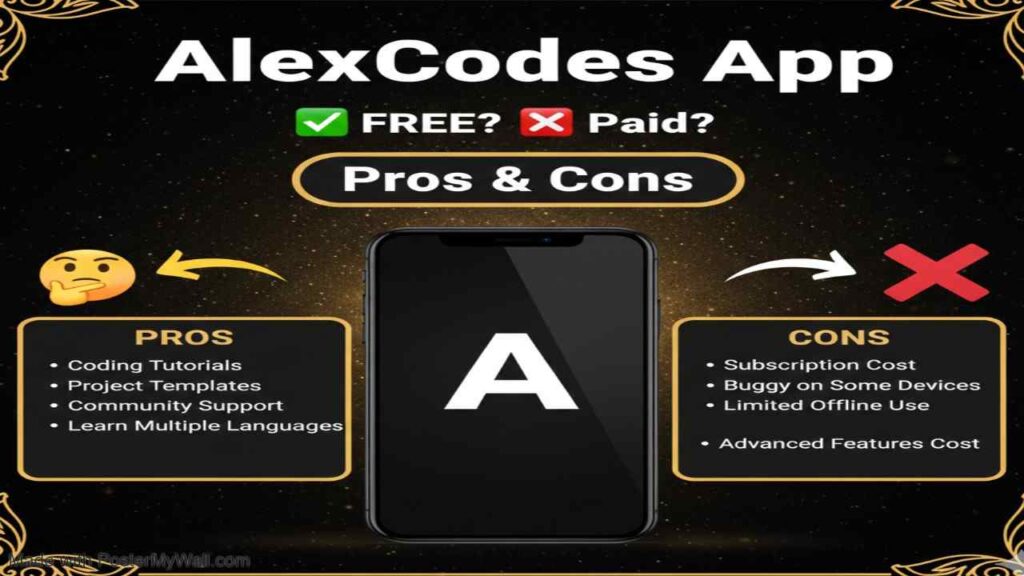
Pros and Cons of AlexCodes App
AlexCodes app brings Cursor-level AI directly into Xcode, significantly boosting iOS development speed, though it comes with typical subscription and ecosystem trade-offs.
Pros
- Native Xcode sidebar integration—no tab-switching or external IDE needed for iOS/macOS work.
- Powerful agent features like one-click error autofix, Simulator control, package adding, and vision-based testing.
- Supports top models (Claude, GPT, custom APIs) with codebase indexing for accurate, context-aware help.
- Fast performance and productivity gains—many users report cutting dev time significantly.
- Regular updates with new capabilities (infinite chat, retry, summarization) from an active team.
Cons
- Free tier has strict daily limits, pushing most serious users to paid plans quickly.
- Subscription required for unlimited use and advanced features like full autofix or high-context chats.
- Xcode-specific—less useful for non-Apple platforms or cross-platform developers.
- Results depend on model choice and prompt quality; occasional inconsistencies in complex projects.
- Some features (e.g., Simulator vision) may require specific setups or have occasional bugs in early versions.